Community Hub
Join the discussion, share your art, and connect with fellow anime enthusiasts.


Starting from today reanime.cz is our primary domain, this is a precaution to avoid some issues, rest assured we are not taking reanime down. Keep reindex.to bookmarked just in case.

Bro im being peer preasured into watchiong one piece but its SO FKING LONG IDK IF I WANT TO and i hear like nothing good btw ts

Subtitles for a anime episode I downloaded won’t work at all.

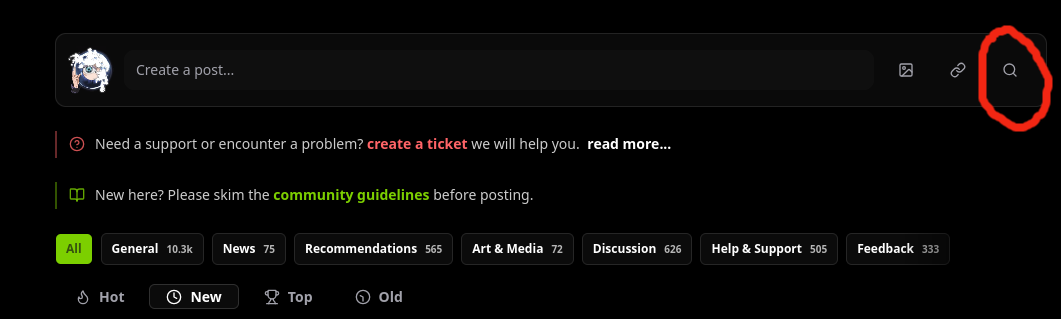
This didn't feel intuitive to me at all, so I figured I'd share this with you guys to hopefully make life a little easier!
On the Community page, you'll want to locate this search icon that is on the same line as where you create a post.
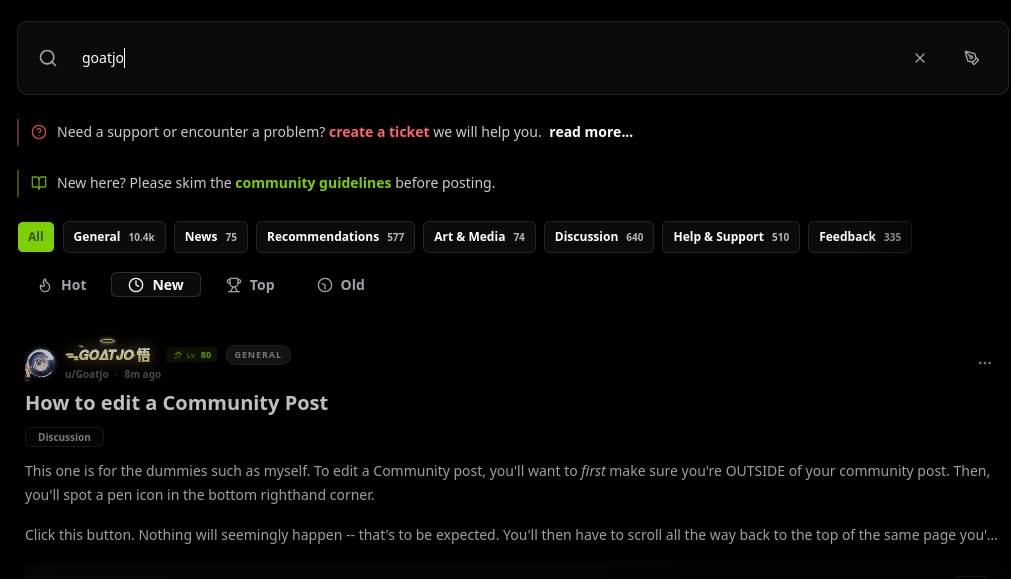
Click this. To find your own or a specific user's community posts, you'll want to use the actual username -- the one you @ someone with, not their display name.
All of the user's posts will be found when you scroll down.
Hope this helps!

Must watch before I die . I have to watch it no matter what. Any recommendations?
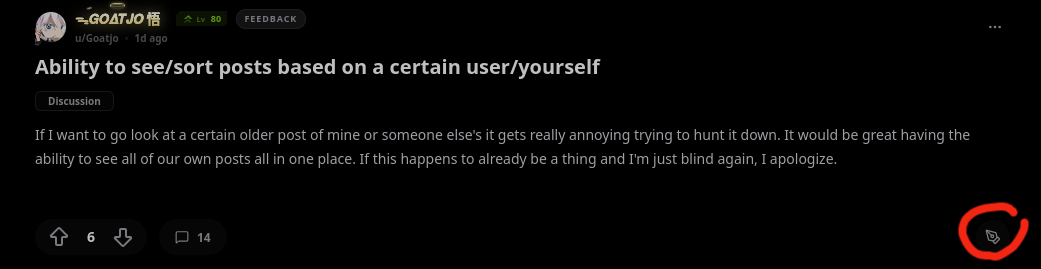
This one is for the dummies such as myself. To edit a Community post, you'll want to first make sure you're OUTSIDE of your community post. Then, you'll spot a pen icon in the bottom righthand corner.
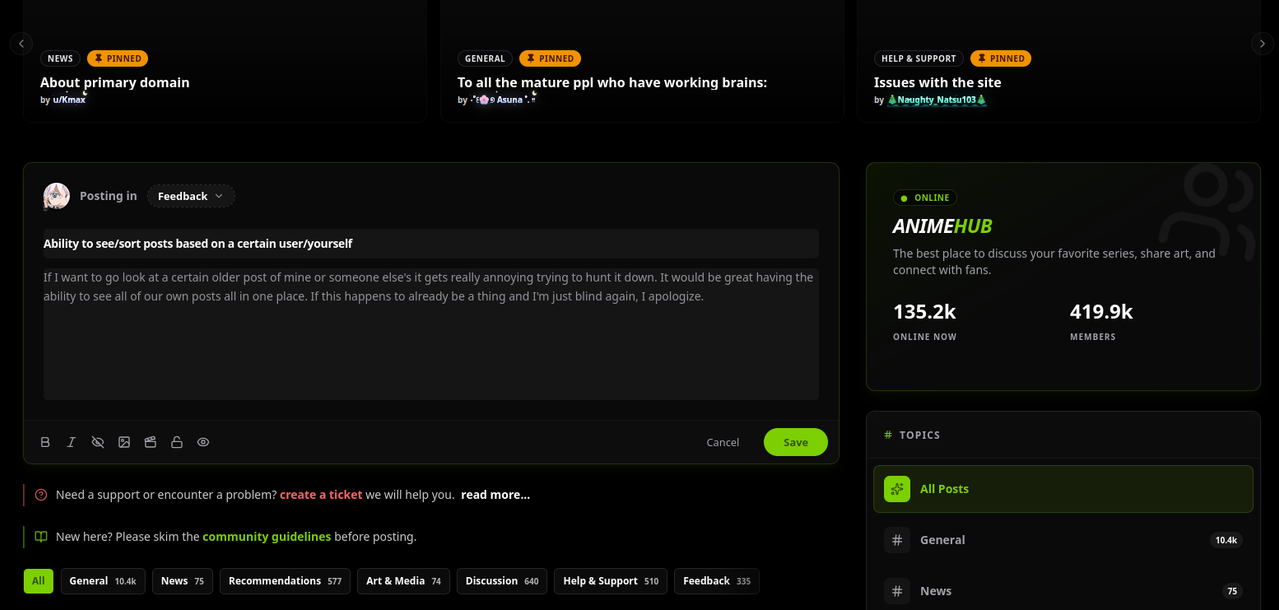
Click this button. Nothing will seemingly happen -- that's to be expected. You'll then have to scroll all the way back to the top of the same page you're currently on. You will now see where you can edit your post!
Hopefully this helps!

did yall know if yall get banned in one reanime website, but then you go to another reanime website and log in, your ban uplifts and you can chat again...

You might think “omg this probably nothing bad cuz its on the first page.” Your absolutely WRONG, unless you like hentai dont watch this
This is to help anyone, new or otherwise, figure out how to get images/gifs to show up for you, either here in the Community or in global chat!
This site supports PNG, JPG, GIF, WebP -- no videos, sorry!
For PC users:
Find the image or gif you want either on google images or tenor, or anywhere else, really.
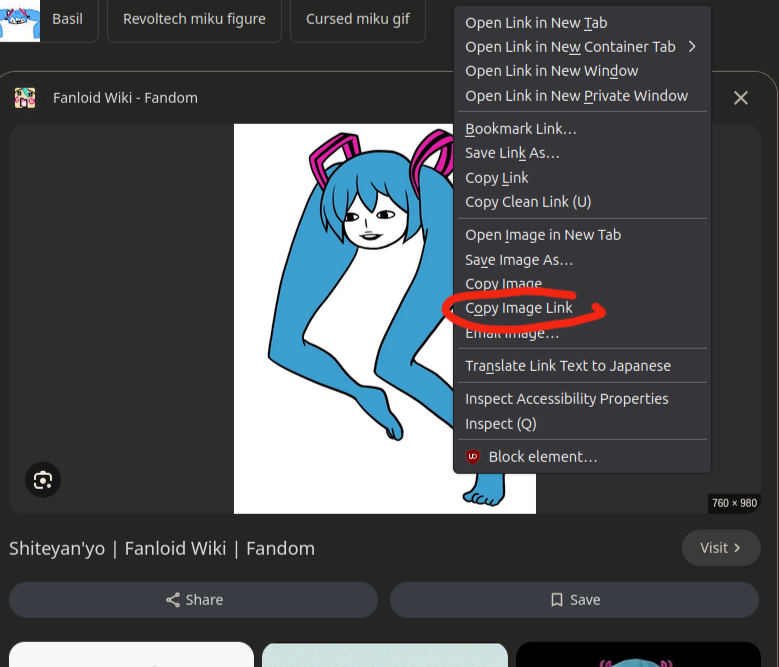
Right click on the actual image, and this context menu should pop up:
Copy the image link.
In global chat, paste this link into the picture icon to the immediate left of the green arrow that submits the message. Here in community, either on your posts or in your replies, you can insert this link into the picture icon (hover over it, and it should say "insert image").
For mobile users (2 parts):
iOS
Find the image or gif you want to use either on google images, tenor, etc.
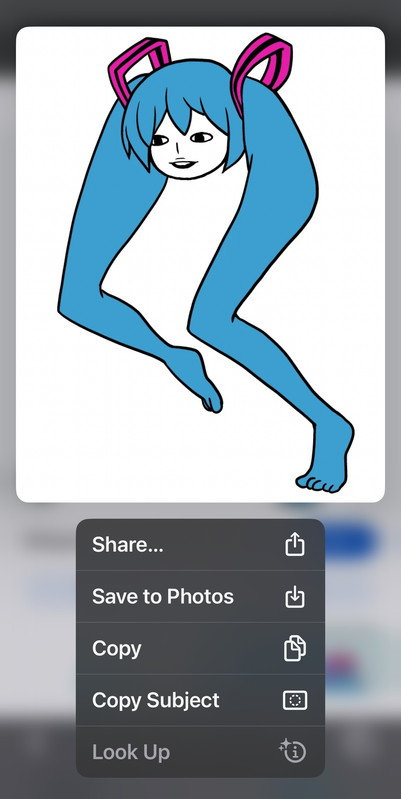
Long hold the image until this menu pops up.
Click "copy".
Paste what you copied either in the picture icon directly to the left of the green arrow in global chat, or anywhere over here on Community where there is a picutre icon to insert image.
Android
- Search a gif in tenor (and possibly pictures in google images, etc).
- Long press on the picture, and you will see the option to "open image in new tab". Click on that.
- Go to the tab that pops up and copy the whole url (that's the image address/image link).
- Paste what you copied either in the picture icon directly to the left of the green arrow in global chat, or anywhere over here on Community where there is a picutre icon to insert image.
∘₊✧────────────────────────✧₊∘
Additional:
- Beware of images with parenthesis in the original image link! These will not work/show up. You'll have to download the image, rename the image to something without the parenthesis, then reupload it to somewhere like postimages and get the image link again.
Fun fact: You can also put spoilers over your images. To do that, highlight the entire image link (including the -- ! [ image ]( -- before the image link and the -- ) -- after the image link), then pick "inline spoiler" here in Community. In global chat, when you highlight the image link, a context menu should automatically pop up -- click spoiler.

Just wanna give a big big thanks tho those who help made this site and let them know how much I enjoy watching anime and interacting with others here to. TRULY ASTOUNDING.THANK YOU FROM THE BOTTOM OF MY HEART ❤️.
AnimeHub
The best place to discuss your favorite series, share art, and connect with fans.